
PayGo Wallet6.6.9 - App Store
You'll be able to see results in few seconds.
Publisher Description
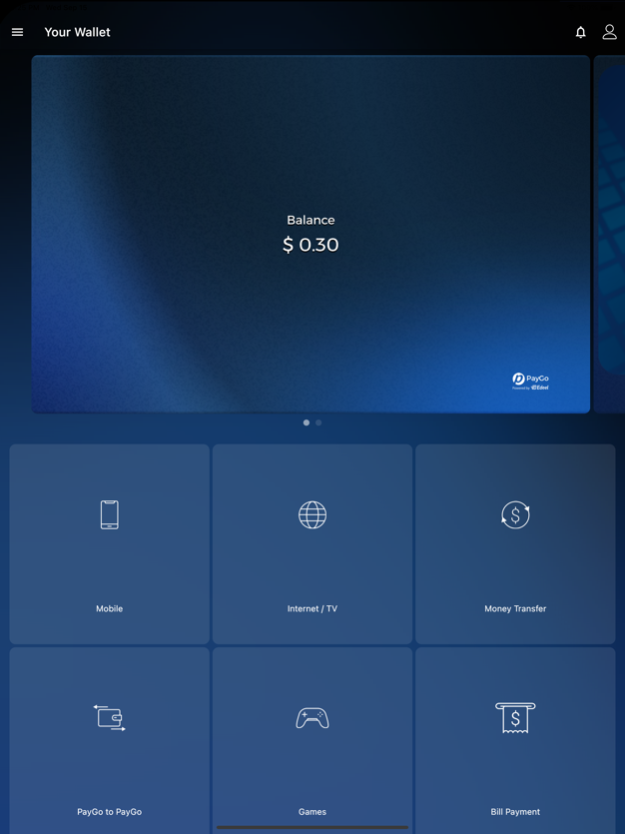
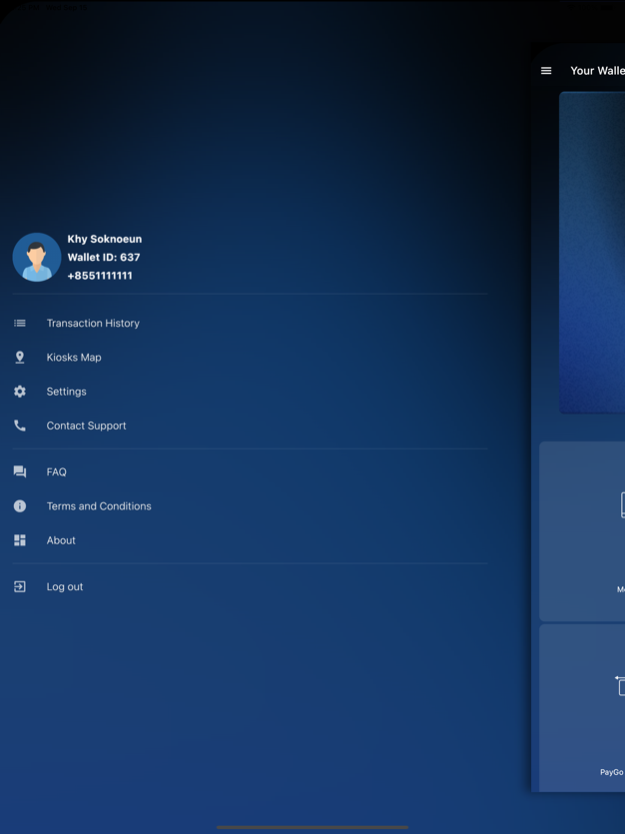
PayGo Wallet offers unique opportunities to make electronic payments.
Create Virtual MasterCard in no time and use it to make any payments online.
- Purchase any applications in App Store
- Make online purchases in any online shops (Aliexpress, eBay)
- Buy stickers in LINE messenger
- Link your Virtual MasterCard to PayPal
- Book and buy air tickets
- Use the Virtual MasterCard to make any in-app purchases
PayGo Wallet allows you to make payments on the go for the following services:
- All Mobile operators (Cellcard, Smart, Metfone, Seatell, QB, Cootell)
- Money transfer (Gcash, Smart Luy, True Money, E-money)
- Internet and digital/cable TV
- Tuition
- Online games (Sabay, mJams)
More than 200 cash-in points (kiosks) in Cambodia
Sep 19, 2021
Version 6.6.9
* Phillip Bank Cards
* Design colors changed
About PayGo Wallet
The company that develops PayGo Wallet is Pay&Go SEA Co Ltd. The latest version released by its developer is 6.6.9.
To install PayGo Wallet on your iOS device, just click the green Continue To App button above to start the installation process. The app is listed on our website since 2021-09-19 and was downloaded 0 times. We have already checked if the download link is safe, however for your own protection we recommend that you scan the downloaded app with your antivirus. Your antivirus may detect the PayGo Wallet as malware if the download link is broken.
How to install PayGo Wallet on your iOS device:
- Click on the Continue To App button on our website. This will redirect you to the App Store.
- Once the PayGo Wallet is shown in the iTunes listing of your iOS device, you can start its download and installation. Tap on the GET button to the right of the app to start downloading it.
- If you are not logged-in the iOS appstore app, you'll be prompted for your your Apple ID and/or password.
- After PayGo Wallet is downloaded, you'll see an INSTALL button to the right. Tap on it to start the actual installation of the iOS app.
- Once installation is finished you can tap on the OPEN button to start it. Its icon will also be added to your device home screen.
Program Details
System requirements
Download information
Pricing
Version History
version 6.6.9
posted on 2021-09-19
Sep 19, 2021 Version 6.6.9
* Phillip Bank Cards
* Design colors changed
version 6.6.8
posted on 2020-10-15
Oct 15, 2020 Version 6.6.8
* UI updates and improvements
version 6.6.7
posted on 2020-08-03
Aug 3, 2020 Version 6.6.7
* Payment templates added
* Navigation updated
version 6.6.5
posted on 2020-07-09
9 Jul 2020 Version 6.6.5
* App Optimizations
* Dependencies update
* Faster Interface
version 6.6.5
posted on 2020-07-09
Jul 9, 2020 Version 6.6.5
* App Optimizations
* Dependencies update
* Faster Interface
version 6.6.4
posted on 2020-06-02
Jun 2, 2020 Version 6.6.4
* ATM Location Map
* Provinces list in KYC form
* Contact Picker for any Phone Number field
* UI updates
version 6.6.3
posted on 2020-04-29
Apr 29, 2020 Version 6.6.3
Minor UI updates and performance improvements
version 6.6.2
posted on 2020-03-25
Mar 25, 2020 Version 6.6.2
* Minor UI Updates
* Bug fixes
version 6.6.1
posted on 2020-02-19
Feb 19, 2020 Version 6.6.1
- SMS Verification Quick Fix
- Login Screen Fix
version 6.5.9
posted on 2020-02-14
Feb 14, 2020 Version 6.5.9
Added multilingual support.
Disclaimer
Official App Store Link
We do not host PayGo Wallet on our servers. We did not scan it for viruses, adware, spyware or other type of malware. This app is hosted by Apple and passed their terms and conditions to be listed there. We recommend caution when installing it.
The App Store link for PayGo Wallet is provided to you by apps112.com without any warranties, representations or guarantees of any kind, so access it at your own risk.
If you have questions regarding this particular app contact the publisher directly. For questions about the functionalities of apps112.com contact us.
